

Regular price €59,90
Sale price €59,90 Regular price €89,99
Unit price
Save 33%

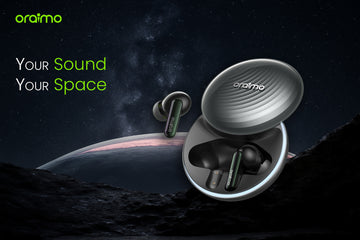
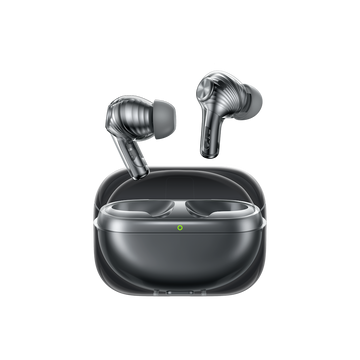
SpaceBuds - ANC Hybride, 40h Battery, BT 5.4

  • 50dB Hybrid Noise Cancellation
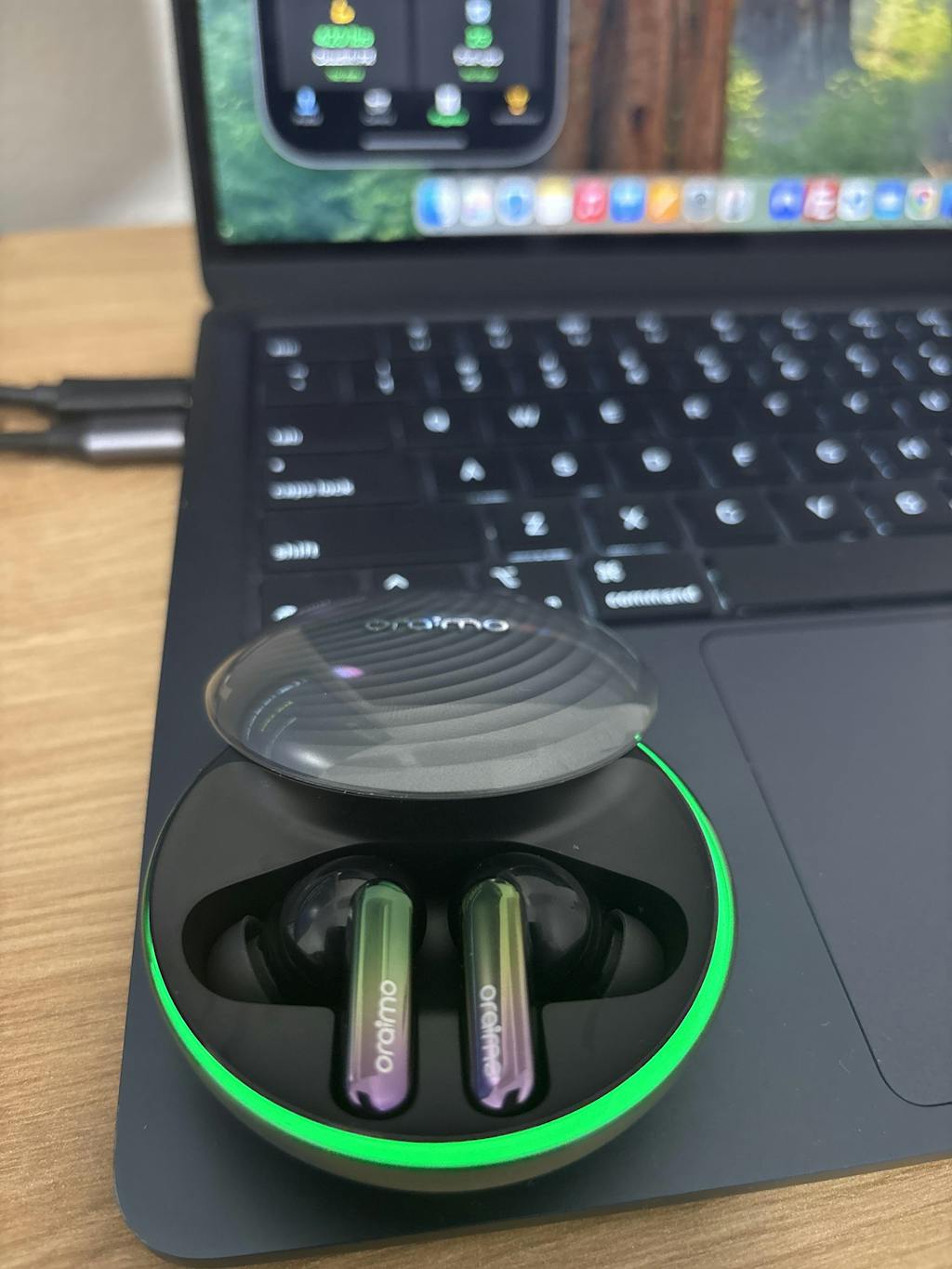
  • Personalized Lighting Effect
  • Customizable Voice Prompts
  • 40-Hour Battery Life
Free Shipping
Free shipping on this item
Fast Delivery NL & BE
1–2 business days (31/01 – 01/02)
365-Day Warranty
Included on all products
Easy Returns
Hassle-free returns within 14 days
Ask a question

Ask a Question

* Required fields

Size guide Share
SpaceBuds - ANC Hybride, 40h Battery, BT 5.4

SpaceBuds - ANC Hybride, 40h Battery, BT 5.4

Regular price €59,90
Sale price €59,90 Regular price €89,99
Unit price

oraimo SpaceBuds – product overview

Silence, wherever you go.

Up to 50 dB hybrid noise cancelling, 11 mm dynamic drivers, 40 hours playtime and a Lunar Eclipse design. SpaceBuds are our flagship choice for daily listening, calls and focus – at home, in the office, or on the move.

AT A GLANCE

Total playtime Up to 40 hours of use in normal conditions.
Noise cancelling Hybrid ANC up to 50 dB + Transparency mode.
Sound quality 11 mm drivers, HavyBass™, 360° spatial audio.
Clear calls 6 smart microphones, including 4 for noise reduction.
IPX4 rating Ready for sweat, light rain and everyday use.
Bluetooth 5.4 Stable, low-latency connection for iOS & Android.

Why SpaceBuds stand out at this price

  • 50 dB hybrid ANC: a premium level of noise cancelling, rare in this price segment.
  • 11 mm drivers + HavyBass™: rich, balanced sound with powerful bass that doesn’t drown vocals.
  • 6 smart microphones: clear voice pickup, even in busy streets or public transport.
  • Up to 40 hours total playtime: charge once, listen all week.
  • Lunar Eclipse design: award-winning look and all-day comfort.

Who are SpaceBuds made for?

SpaceBuds are made for people who want a premium everyday experience: silence when needed, immersive sound, and crystal-clear calls.

50 dB hybrid ANC – enter your own quiet zone


SpaceBuds 50 dB hybrid noise cancelling

What it changes for you: less noise, more focus, less fatigue at the end of the day.

With hybrid active noise cancelling up to 50 dB, SpaceBuds significantly reduce metro noise, engines and constant background chatter.

  • ANC On: full immersion when you want to disconnect from your surroundings.
  • Transparency Mode: stay aware of traffic, announcements and voices without removing the earbuds.

Immersive 11 mm drivers + HavyBass™

SpaceBuds immersive sound with HavyBass

What you hear: deep bass, clear voices and a wide soundstage.

The 11 mm dynamic drivers deliver a wide and detailed soundstage. HavyBass™ adds punch and depth, while keeping vocals clean and natural.

  • Music: powerful bass, clear mids and smooth highs.
  • Movies & series: more immersive effects and soundtracks.
  • Podcasts & calls: natural, easy-to-follow voices.

Lunar Eclipse design – award-winning look

SpaceBuds Lunar Eclipse design

What you feel: stable comfort and a premium look.

Inspired by a lunar eclipse, the SpaceBuds case and earbuds combine a distinctive shape with a comfortable fit. The design has been rewarded internationally for its unique visual identity and ergonomics.

Extended touch controls + oraimo sound app

SpaceBuds touch controls and app

What you gain: full control without reaching for your phone.

The enlarged touch area lets you manage music, calls and ANC modes with simple gestures. With the oraimo sound app, you can fine-tune ANC, adjust the EQ and customise the LED effects.

Ready to move: durability, connection and latency

Up to 40 hours battery – charge, then forget it

SpaceBuds 40 hours autonomy

What it means in real life: you get through the week without stressing about battery.

  • Up to 11 hours on a single charge (ANC off).
  • Up to 8 hours with ANC on.
  • Up to 40 hours total with the charging case.

Clear calls, even in noisy places

SpaceBuds AI ENC clear calls

What the other person hears: your voice – not the street around you.

SpaceBuds use 6 smart microphones, including 4 dedicated to noise reduction. The system focuses on your voice and filters ambient noise, so calls stay clear on the move, in public transport or at the office.

Strengths & things to know

Key strengths

  • Effective 50 dB hybrid noise cancelling.
  • Immersive sound with 11 mm drivers + HavyBass™.
  • Solid battery life up to 40 hours.
  • Very clear calls with 6 microphones.
  • Distinctive Lunar Eclipse design.
  • IPX4 rating for sport and daily use.

Good to know

  • Battery life naturally decreases when ANC is always on.
  • Advanced settings and LED customisation are managed via the oraimo sound app.

Perfect if you…

Want a premium all-round pair of earbuds: strong ANC, immersive audio, clear calls and a design that looks and feels high-end.
Fast shipping • Official 12-month warranty • Local support


Recently Viewed Products

Frequently Asked Questions

What should I do if earbuds can't be charged?
Step 1: Ensure the charging case is fully powered and that any protective films have been removed from the earbuds. Step 2: Insert the earbud into the charging case and check the indicator light. If it illuminates briefly (≈1 second), the earbud’s battery may be fully depleted—let it charge for about one hour. If the indicator light remains off, clean the charging contacts and try again. If the issue persists, the earbuds may be faulty. Please return the product to us for a replacement as soon as possible.
What should I do if the case can't be charged?
Step 1: Ensure the power adapter and USB‑C cable are properly connected. Step 2: Try charging another device with the same charger; if it fails, the charger or cable may be defective. Step 3: Use a different charger and cable on the case—if it still doesn’t charge, the case may be defective. Please return it to us to arrange a replacement as soon as possible.
How to solve the problem if earbuds drain very fast?
Step 1: Fully charge your earbuds before use. Step 2: Check battery levels via the oraimo Sound app. Note: playtime varies with volume and content. If battery life is significantly shorter than expected, the earbuds may be faulty—please contact us to arrange a replacement.
I can’t find the Bluetooth name on my device. How can I fix it?
Step 1: Fully charge the case. Step 2: Remove any protective films and recharge earbuds in the case for ~30 minutes. Step 3: Open the case lid, then watch the indicator light: (1) Rapid blinking = pairing mode — delete old Bluetooth entries and turn on Bluetooth again. (2) Slow pulsing = connected to another device — reset by double‑tapping one earbud and holding until six beeps are heard. Step 4: Search for “oraimo SpaceBuds” in your device’s Bluetooth list.
What should I do if the earbuds can't connect to my device?
Step 1: Fully charge the case. Step 2: Remove protective films and recharge earbuds for ~30 minutes. Step 3: Remove any “oraimo SpaceBuds” entries from Bluetooth history and restart phone Bluetooth. Step 4: Reset earbuds by double‑tapping any earbud and holding for six beeps. Step 5: Search again for “oraimo SpaceBuds” on your phone.
My product still connects to the device even in the case with the lid closed. How can I solve it?
Step 1: Ensure the case lid is fully closed. Step 2: Clean charging contacts on both earbuds and case. Step 3: Reset earbuds by double‑tapping either earbud and holding until six beeps. If the issue persists, the earbuds may be defective—please return them to us for a replacement promptly.
How to solve the issue that the sound from my product is low?
Step 1: Make sure your phone isn’t muted—raise phone volume, then adjust earbuds' volume. Step 2: Check speaker mesh for debris; clean gently if necessary. Step 3: Verify that volume synchronization on your phone is enabled.
How to solve the issue if there is abnormal noise from my product?
Step 1: Try a different song or device to check if noise persists. Step 2: Clean any debris from speaker holes. If abnormal noise continues, the earbuds may be defective—please return them for a replacement.
The sound volume on the left earbud is different from the right earbud. How can I fix it?
Step 1: Play a different song to test if volume balances. Step 2: Adjust how you wear the earbuds. Step 3: Inspect speaker grilles for blockages and clean if needed. If imbalance remains, the earbuds may be faulty—please return them for a replacement.
How do I fix it when the sound of the product is laggy or intermittent?
Step 1: Keep earbuds within 10 m of your phone. Step 2: Move to a different location or test with another phone to avoid Bluetooth interference. Step 3: Place earbuds into the case, close it, wait 15 seconds, then reopen and reconnect. If problems persist, reset earbuds to factory settings.
I can't hear other people clearly. How can I fix it?
Step 1: Ensure your phone isn't muted—raise phone volume, then adjust earbuds' volume. Step 2: Clean speaker holes if blocked. Step 3: Check volume sync on your phone. Step 4: On your device, go to Settings → Bluetooth → select “oraimo SpaceBuds” → enable “Use For Media Audio.”
How can I fix it once the Noise cancellation effect is not good?
Step 1: Confirm you're in Noise Cancellation mode—press & hold any earbud for 1 s or use the oraimo Sound app. Step 2: Maximize ANC level via the app slider or double‑tap & hold for 3 s to reset. Step 3: Ensure eartips fit snugly—try a different size if needed.
I can't activate ANC mode or Transparency mode. What should I do?
Step 1: Press & hold any earbud for 1 s to switch ANC modes. Step 2: Ensure the oraimo Sound app is updated—toggle modes via the app. If it still fails, reset earbuds to factory settings.
How can I fix it when the touch control doesn't work well?
Step 1: Tap the correct area per manual. Step 2: Verify touch settings in oraimo Sound app; reset by double‑tapping & holding for 3 s if needed. Step 3: Keep fingers and touch areas clean & dry. Step 4: Try faster taps (under 600 ms gap) if double‑ or triple‑tap isn’t responding.
How to solve the issue if Smart chat mode doesn't work well?
Step 1: Ensure Smart Chat is enabled in the app. Step 2: Fit eartips snugly. Step 3: Clean microphone openings. Step 4: Speak louder. Step 5: Test with longer prompts like “Hello, oraimo!”
What should I do when the wide area tap function doesn't work well?
Step 1: Enable wide area tap in the app. Step 2: Tap in the correct area near your ear per manual. Step 3: Adjust earbud fit. Step 4: Avoid interfering activities (chewing, swallowing, loud environments).
How to customize my voice prompts?
Step 1: Install the latest oraimo Sound app. Step 2: Allow mic access. Step 3: Follow app instructions to record prompts. Step 4: Pause music and calls during recording. Step 5: Keep mouth ~25 cm from phone mic.
What can I do when the customized voice prompt is not clear?
Step 1: Record in a quiet place. Step 2: Maintain ~25 cm distance from device mic. Step 3: Ensure phone mic works properly.
How to change the lighting effect?
Step 1: Install the latest oraimo Sound app. Step 2: In the app’s Lighting Effect section, select desired pattern. Step 3: Ensure earbuds are in the case. (Note: lighting won’t activate if case battery is low—charge until indicator is medium or high.)
What should I do when other people can't hear me clearly during the call?
Step 1: If using one earbud, return the spare to the case. Step 2: Clean the microphone holes. Step 3: Wear earbuds properly, avoiding skin contact over mics.
What can I do if there is no sound from my product?
Step 1: Check power adapter and USB‑C cable are connected. Step 2: Try charging another device with same setup—replace faulty charger/cable. Step 3: Use a different cable/charger with the case—if no sound still, it may be defective. Please return it to us to arrange a replacement as soon as possible.